Import From Anywhere
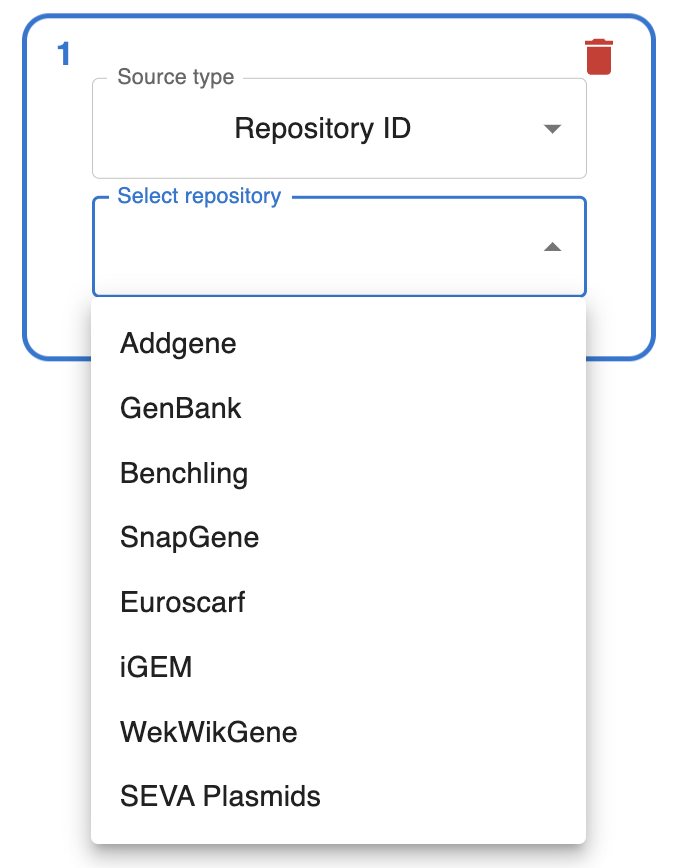
Your files, NCBI, AddGene, SnapGene, iGEM…
Engineer Anything
Gibson, Golden Gate, Gateway, In vivo assembly…
Automate Everything
Create scripts, notebooks, templates and forms
Share With Anyone
Export cloning workflows in FAIR Open File Format.
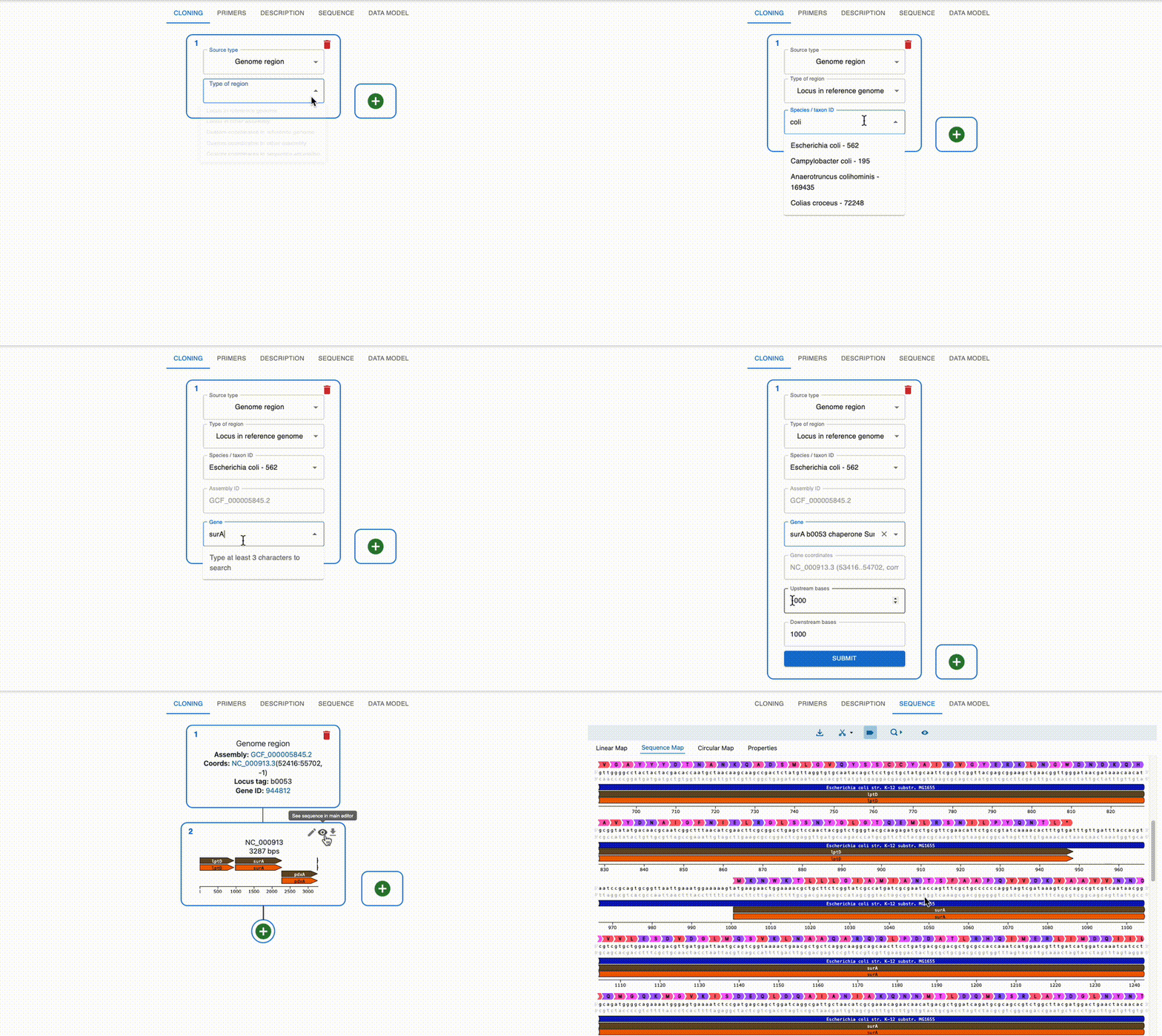
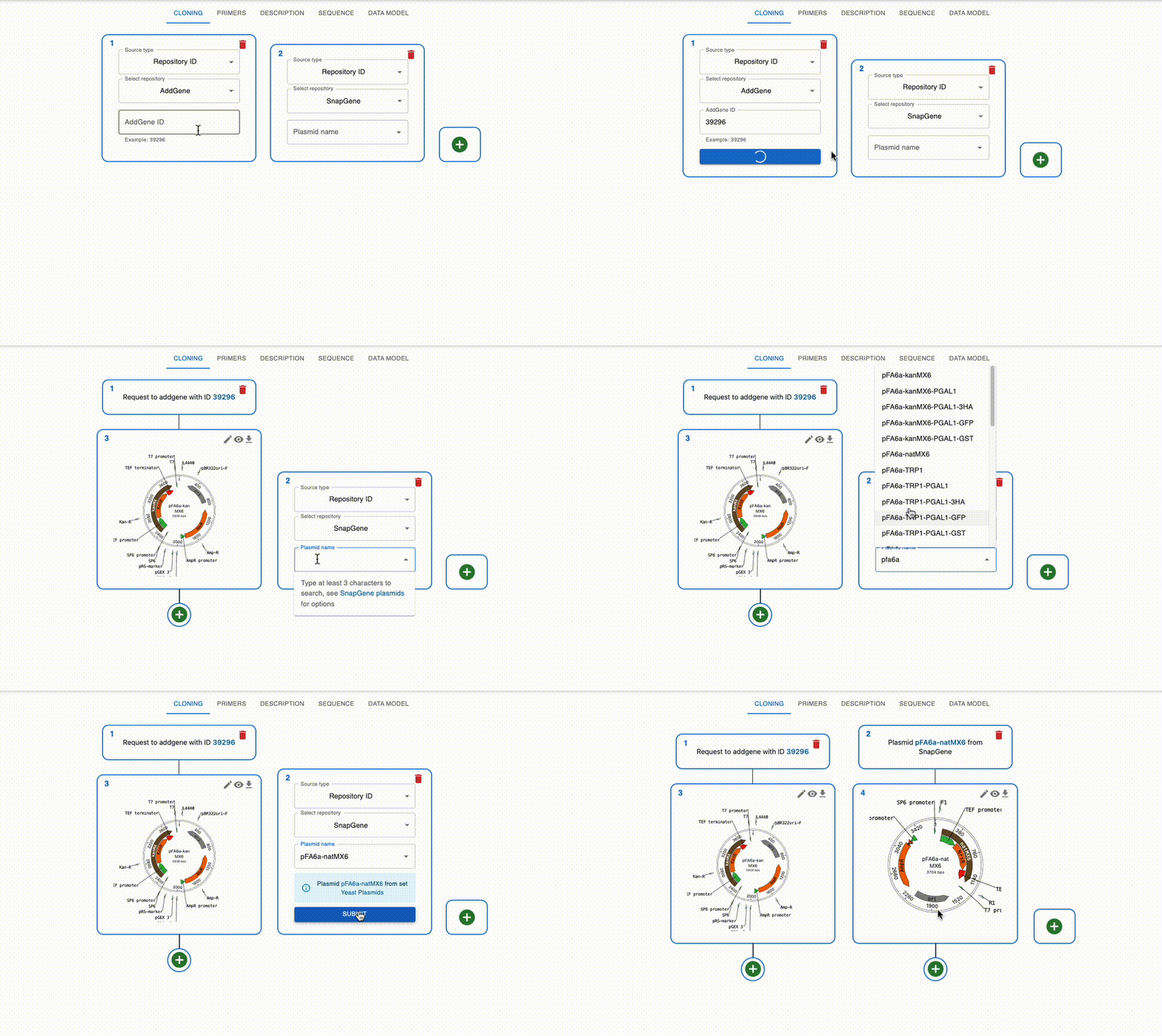
Import from anywhere
From many online repositories and local files.
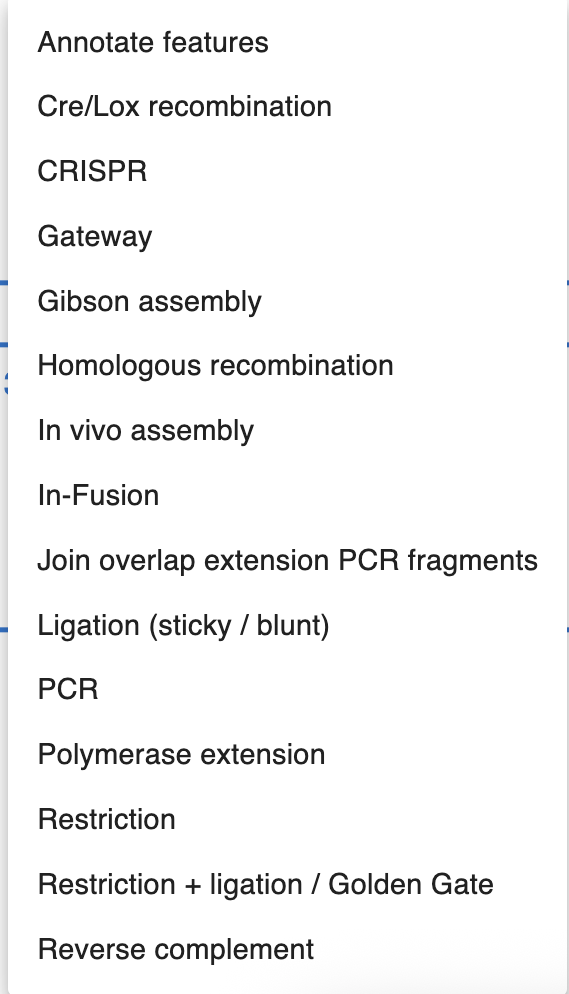
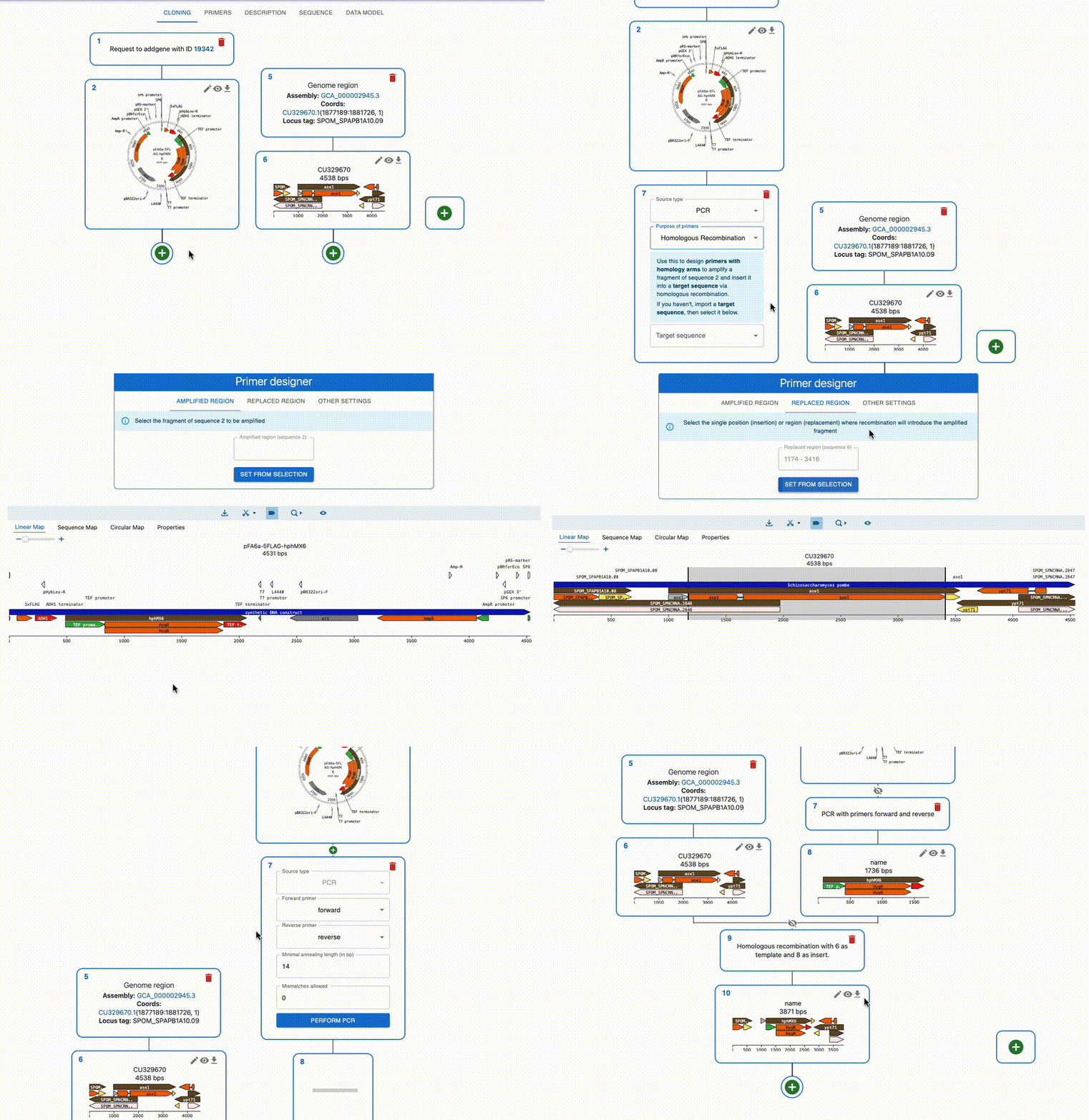
Engineer anything
Supports most cloning methods and has powerful primer design capabilities.
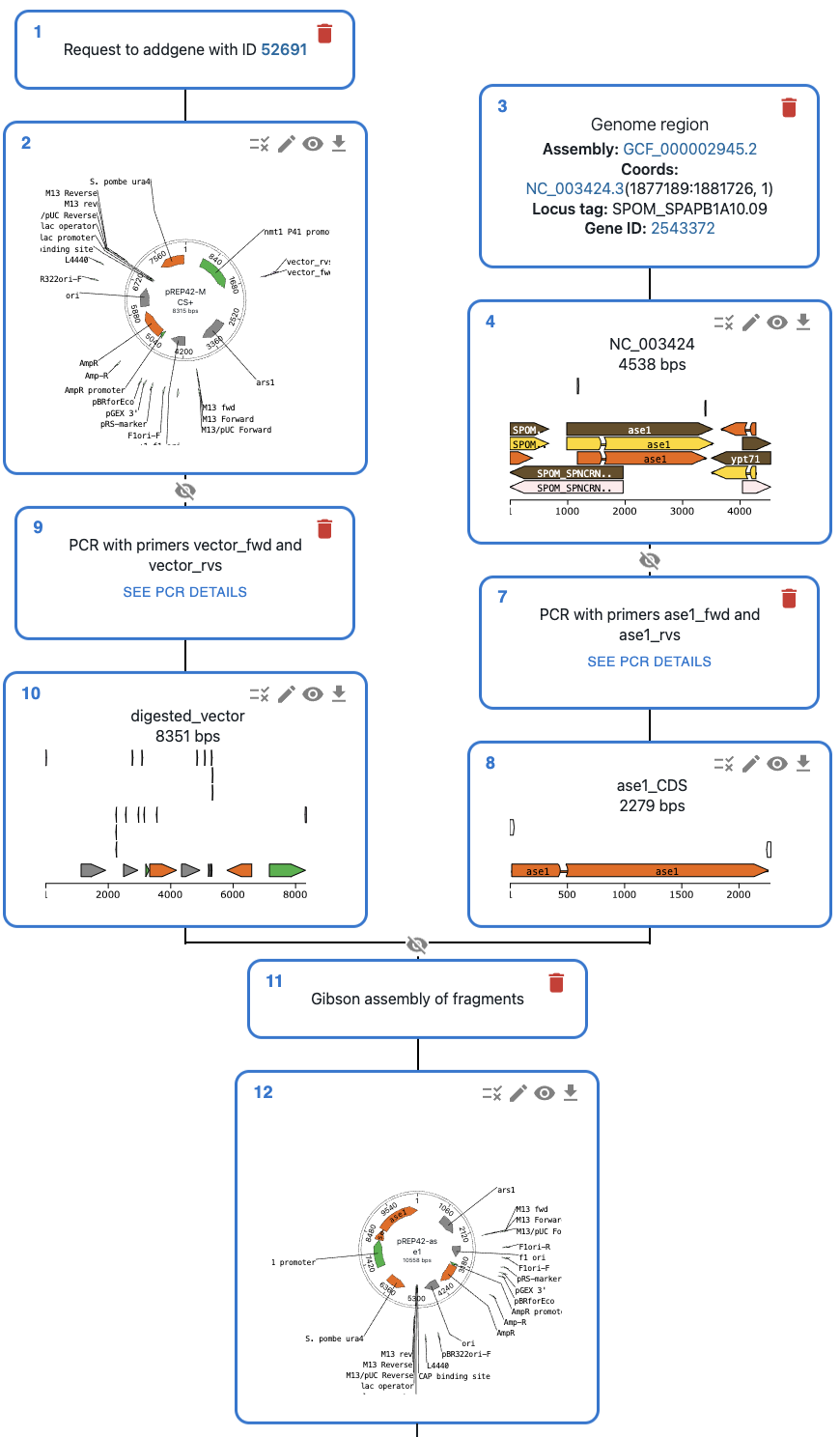
Automate everything
Use scripts, notebook, forms and templates to speed up design
Get started with scripting
addgene_source = AddgeneIdSource(id=1, repository_id="52691", repository_name="addgene")
addgene_result = get_from_repository_id_addgene(addgene_source)

locus_source = GenomeCoordinatesSource(
    id=2,
    type="GenomeCoordinatesSource",
    assembly_accession="GCF_000146045.2",
    sequence_accession="NC_001147.6",
    start=432688,
    end=437345,
    strand=-1,
)
locus_result = genome_coordinates(locus_source)
insert1 = Dseqrecord("GGTCTCAattaAAAAAttaaAGAGACC", name="insert1")
insert2 = Dseqrecord("GGTCTCAttaaCCCCCatatAGAGACC", name="insert2")
insert3 = Dseqrecord("GGTCTCAatatGGGGGccggAGAGACC", name="insert3")

vector = Dseqrecord("TTTTattaAGAGACCTTTTTGGTCTCAccggTTTT", circular=True, name="vector")

products = golden_gate_assembly([insert1, insert2, insert3, vector], [BsaI])

print(products[0].history())

"""
╙── product (Dseqrecord(o39))
    └─╼ RestrictionAndLigationSource
        ├─╼ insert1 (Dseqrecord(-27))
        ├─╼ insert2 (Dseqrecord(-27))
        ├─╼ insert3 (Dseqrecord(-27))
        └─╼ vector (Dseqrecord(o35))
"""
{
    "id": 1,
    "type": "AddgeneIdSource",
    "input": [],
    "repository_id": "65109",
    "repository_name": "addgene",
    "sequence_file_url": "https://media.addgene.org/snapgene-media/v1.7.9-0-g88a3305/sequences/110162/c1c98803-c8ba-44a6-95b8-d6a94097e36f/addgene-plasmid-65109-sequence-110162.gbk",
    "addgene_sequence_type": "depositor-full"
}{
"id": 4,
"type": "PCRSource",
"input": [
{
"type": "AssemblyFragment",
"sequence": 9,
"left_location": null,
"right_location": "32..51",
"reverse_complemented": false
},
{
"type": "AssemblyFragment",
"sequence": 1,
"left_location": "1001..1020",
"right_location": "4053..4072",
"reverse_complemented": false
},
{
"type": "AssemblyFragment",
"sequence": 10,
"left_location": "1..20",
"right_location": null,
"reverse_complemented": true
}
],
"circular": false
}
LinkML allows you to work with this data model in your stack of choice: Python, SQL, RDF, JSON Schema, TypeScript, etc.
Share with anyone
Export full DNA engineering workflows to JSON. OpenCloning uses a simple interoperable data model developed with LinkML.
Check it outStart using OpenCloning
Whether you work as a researcher, platform scientist, or in industry, OpenCloning can help you with DNA engineering.
Success stories